


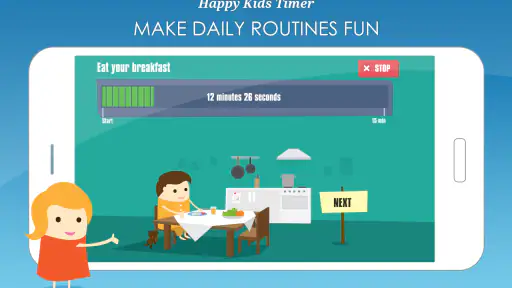
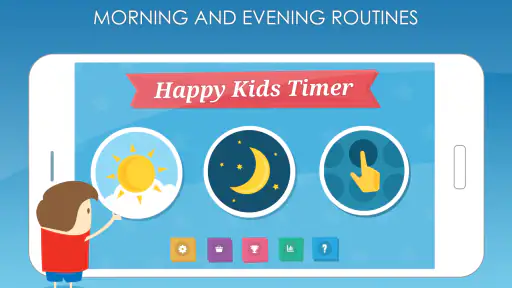
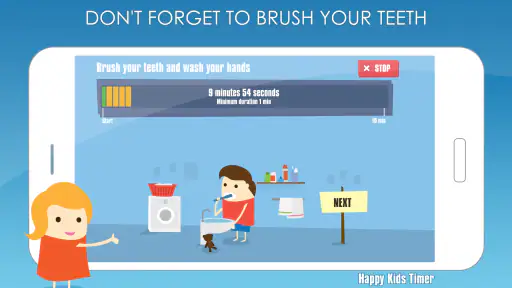
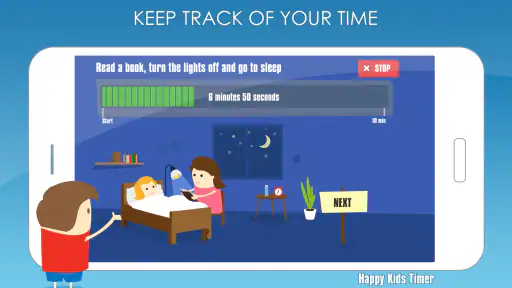

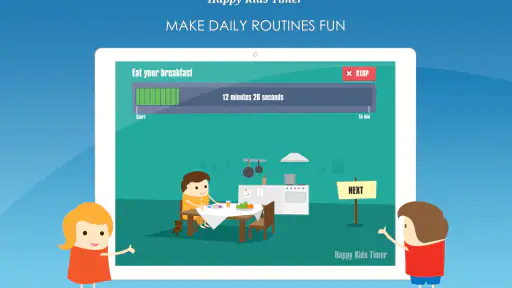
Getting children through a morning routine can be harder than the routine itself. “Get dressed,” “brush your teeth,” and “put your things away” sound simple to an adult, but to a child they can feel like a long chain of unrelated demands. Happy Kids Timer Chores takes a visual approach: instead of relying on repeated reminders, it gives the child a countdown they can see while moving through familiar tasks.
I see it as a focused parenting app rather than a complete household organizer. It is designed for families who want to make routines more understandable and less dependent on a parent standing nearby. The app is free to start, rated for Everyone, and developed by Kids Smart Zone. Its central idea is easy to grasp, which is one reason it has reached over one million installs and built a 4.2 average from around twenty-two thousand ratings.
The important question is not whether a timer can count down. Any phone can do that. The real question is whether a child responds better to a visual sequence than to spoken instructions, alarms, or a written checklist. In my experience, this app makes the most sense when the problem is not unwillingness alone, but difficulty understanding how long each part of a routine should take.
How I Would Decide Whether It Fits Your Family
Start with the routine problem, not the app category
Before installing it, I would identify the exact point of friction. Does your child forget what comes next? Do they spend so long on one task that the rest of the morning collapses? Do repeated reminders turn into arguments? Or do they already understand the routine but simply resist doing it?
Happy Kids Timer Chores is strongest in the first three situations. A visual countdown can turn an abstract instruction such as “be ready soon” into something more concrete. It gives a child a visible sense that time is passing and that one activity has a beginning and an end. That does not remove every argument, but it can reduce the number of instructions a parent has to repeat.
It is less likely to solve a problem caused mainly by tiredness, anxiety, sensory discomfort, or a task the child genuinely cannot manage independently. A timer should not become a way to rush a child through brushing, dressing, eating, or packing when they need help. I would use it as a guide, not as a strict test of obedience.
Think about the child’s age and independence
The Everyone content rating makes the app suitable for a broad family audience, but suitability is not the same as usefulness for every child. A young child who cannot yet read may benefit from the visual structure more than from a written schedule. An older child may find the presentation too simple if they already manage routines with a calendar, alarm, or checklist.
The best match is a child who can perform at least some routine steps without constant physical help but still needs support with sequence and pacing. For that child, the app can act like a gentle external cue. For a child who needs an adult beside them for every step, it may be more useful as a shared tool between parent and child than as a fully independent system.
Consider whether your family wants a screen in the routine
The biggest decision is also the easiest to overlook: this is a screen-based solution. Some families will appreciate having one clear visual reference. Others will not want a phone or tablet involved in the first part of the day, especially if the child tends to switch from the routine to unrelated entertainment.
I would place the device somewhere visible but not in the child’s hands if screen distraction is a concern. The child can look at the countdown while the parent keeps control of the device. That arrangement preserves the visual benefit without turning the routine into open-ended screen time. If even that feels disruptive, a printed picture schedule or a simple kitchen timer may be a better fit.
The practical setup I would use first
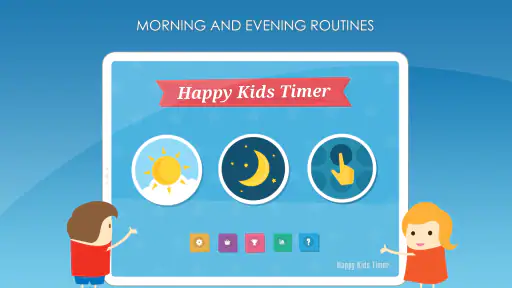
I would begin with one routine rather than trying to organize the entire day. Morning preparation is an obvious starting point because it has a natural deadline, but an evening sequence can work too: changing clothes, washing, brushing teeth, and getting into bed. Starting small makes it easier to see whether the child responds to the format.
I would also keep the first trial calm and collaborative. Before the timer begins, I would explain what each step means and make sure the child knows that the purpose is to help them move along, not to catch them failing. This matters because a countdown can feel encouraging to one child and pressuring to another.
The most useful mindset is to treat the timer as a visual coach, not a digital disciplinarian. That distinction affects whether the app becomes part of the routine or another source of conflict.
Where the app wins over ordinary reminders
Spoken reminders are flexible, but they place the parent in the role of an ongoing announcer. “Now get dressed.” “What are you doing?” “You need to brush your teeth.” “Come back here.” That pattern may work for a while, but it is tiring and can make the child feel constantly corrected.
A visual countdown changes the interaction. Instead of the parent supplying every time cue, the child has something to check. The result is not complete independence, but a useful shift in responsibility. The child can begin to notice that time is limited without waiting for an adult to say so.
This is also where the app differs from a standard alarm. An alarm usually marks one moment, while a routine has several stages. A single loud sound may tell a child that time is up, but it does not necessarily explain what should happen next. Happy Kids Timer Chores is more suitable when the family needs a sequence rather than one reminder.
A realistic morning example
Imagine a school morning in which a child wakes up willingly but loses track of time while choosing clothes, then rushes through everything at the end. I would use the app to give the morning a visible rhythm. The child starts with the first task, watches the remaining time, and moves to the next activity when the sequence calls for it.
The parent still checks important details, especially at the beginning. The difference is that the parent does not have to narrate every minute. If the child is slow because a shirt is uncomfortable or a toothbrush is missing, the app will not solve that practical problem. But if the delay comes from drifting between tasks, the visual structure may be enough to keep the morning moving.
After several uses, I would look for a specific improvement rather than expecting a perfect morning. Is the child starting the next task with fewer prompts? Are they checking the timer themselves? Are arguments shorter? Those are better signs of success than simply finishing within a particular countdown.
Three less obvious ways to use it well
First, I would use it to separate “starting” from “finishing.” Many children do not need help completing a task once they begin; they need help making the transition. A timer can be introduced mainly at those transition points, so the child does not feel watched during every small action.
Second, I would use it as a rehearsal tool before a high-pressure day. If a child struggles with the school-morning sequence, practicing the order during a relaxed weekend can make the routine familiar before it matters. The goal is not to simulate stress, but to remove uncertainty about what comes next.
Third, I would adjust the routine around the child’s actual bottleneck. If dressing is always slow, giving every task equal attention may not help. I would observe where the time disappears, then make that stage the focus of the conversation around the timer. This turns the app from a generic countdown into a way to teach self-awareness.
Where competing approaches may fit better
Happy Kids Timer Chores is not automatically better than every alternative. A picture chart on the wall may be preferable for a child who needs a stable, non-digital reference. A regular alarm may be enough when the family only needs one reminder, such as leaving the house. A written checklist can be better for an older child who wants control over several tasks and prefers to set their own pace.
General calendar and task apps may suit families managing many children, appointments, homework, chores, and activities in one place. Their strength is breadth. This app’s strength is focus. If you want a household dashboard, it may feel limited. If you want a child-friendly visual routine without building a complicated system, that narrow purpose is an advantage.
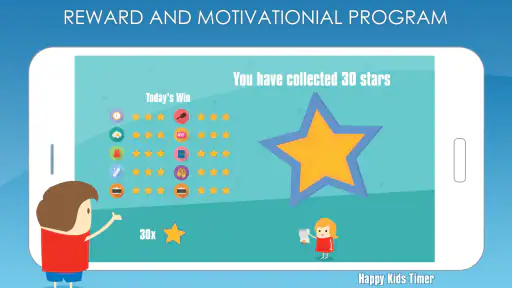
Parents should also consider whether the child is motivated by visible progress, sound cues, adult encouragement, or rewards. A timer addresses pacing and sequence, not every kind of motivation. If the main challenge is refusal, adding more countdown pressure may make things worse. In that case, a calm conversation, a choice between two tasks, or a non-screen routine chart may be more effective.
What the free model means in everyday use
The app is free, which makes it easy to try without committing money first. There are in-app purchases ranging from about one dollar and twenty-eight cents to two dollars and ninety-nine cents per item. I would treat those purchases as optional decisions to make only after the basic routine has proved useful for your child.
The cost question is not only financial. The larger cost is setup time and consistency. Any routine tool needs an adult to introduce it, explain it, and use it in a predictable way. If a parent installs the app during a stressful morning and expects immediate independence, disappointment is likely. The first few sessions are better viewed as teaching moments.
There is also a switching cost if your family already uses a successful paper chart. Moving to an app means changing the child’s visual cues and the parent’s habits. I would not switch merely because a digital tool seems newer. I would switch when the existing method fails for a clear reason, such as the child ignoring a static chart but responding well to movement and time pressure.
Device compatibility and keeping expectations realistic
The current version is 2.17.0 and requires Android 8.0 or later. That makes the operating-system requirement relevant if you plan to use an older spare phone or tablet as the routine device. I would check that device before building the family’s schedule around the app.
Because the app is a parenting tool rather than a general productivity platform, I would not expect it to replace every family-management habit. Keep school information, appointments, medication instructions, and safety-critical reminders in systems designed for those purposes. A visual routine timer is helpful for ordinary daily transitions, but it should not be the only place where important responsibilities are recorded.
Who should try it first
I would recommend a trial to parents whose child gets distracted between routine steps, needs repeated time reminders, or responds well to pictures and visible progress. It is particularly promising when the parent is tired of giving the same instructions and wants the child to consult something other than an adult.
I would be more cautious for children who become distressed by countdowns, interpret time limits as punishment, or are easily pulled into other phone activities. I would also skip it if the family’s routine is too unpredictable for a fixed sequence to make sense. In a household where every morning changes, a flexible checklist may be more practical.
My recommendation after weighing the trade-offs
Happy Kids Timer Chores earns its place as a focused tool for teaching routine flow. I like that its purpose is easy to understand: it makes time visible for children who struggle with vague instructions. It can reduce parent narration, support transitions, and give a child a small but meaningful sense of control over getting ready.
I would not present it as a magic answer for defiance or a replacement for parenting. Its success depends on choosing realistic tasks, introducing it without blame, and noticing whether the child becomes more independent rather than merely more rushed. The visual countdown is a strength, but it can also be a weakness when a child needs flexibility or finds time pressure upsetting.
For families deciding between a dedicated routine app and ordinary alarms, this is the more child-centered option. For families choosing between it and a paper chart, the decision comes down to whether movement and countdown feedback help more than a screen distracts. For older children who already manage complex schedules, a broader planning tool may be the better long-term choice.
My advice is to start with one familiar routine, keep the device under sensible adult control, and judge the app by the number of prompts it gradually removes from your day. If your child begins checking what comes next and moving forward without waiting for you, the app is doing something valuable. If it creates more tension than clarity, there is no reason to force it. In that situation, a simpler non-digital method is the better decision.


